/ 2 min read
FortiGate Web Filter SNI
Author: Paman Dhillon
FortiOS Webfilter is a powerful tool used by network administrators to control and monitor web traffic on their networks. One of its key features is its ability to categorize websites based on their content. In this blog post, we'll take a closer look at how FortiOS Webfilter makes these categorization decisions.
FortiOS will extract the hostname from the SNI extension in the "Client Hello" message of the TLS handshake and use the hostname for category query. Before we discuss how Webfilter works in detail, let’s discuss the importance of SNI.
What is SNI
During the initial handshake process, SNI (Server Name Indication) enables a client to indicate the hostname of the server it wants to communicate with. SNI is an extension to the TLS (Transport Layer Security) protocol.
Practically, SNI enables a server to host multiple websites or services on a single IP address, each with its own unique hostname. In the absence of SNI, it is difficult to host multiple websites or services securely on the same server because a server can only present one SSL/TLS certificate for one IP address.
Exploring FortiGate Web Filtering Process using SNI
Now, we will discuss the process in detail using packet capture. In the below example, the user (172.20.1.2) is trying to open the website example.net and we will discuss in detail how FortiGate will decide the category of the website.
- When an end user opens a website in a web browser, the FortiGate will extract the server name from the SNI flag and query the web filter category from the FortiGuard servers.
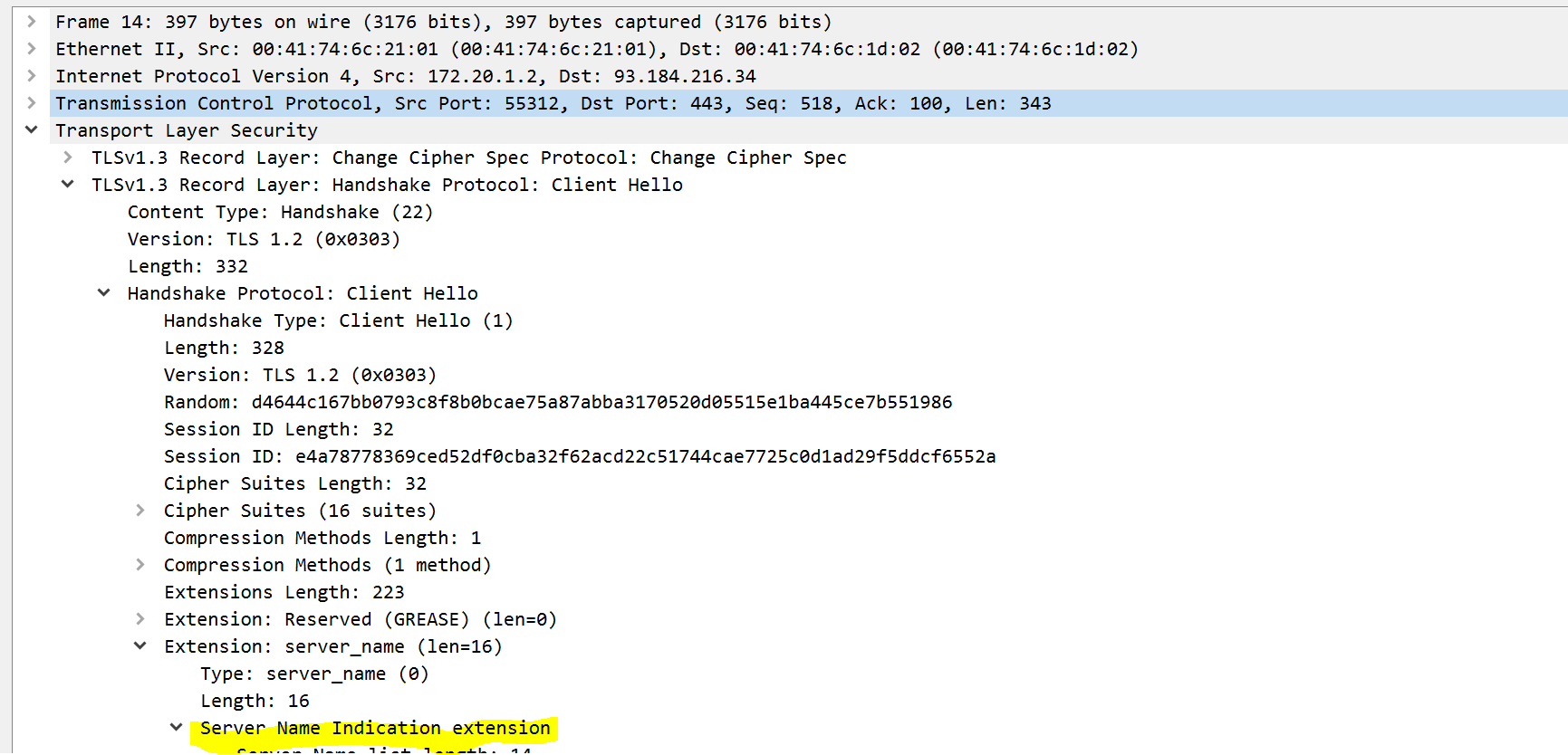
- FortiGate will send queries to FortiGuard servers for domain “example.net” and will categorize the website by getting a response from the servers. To verify, we can check the category of the website on the FortiGuard website directly using link -> https://www.fortiguard.com/webfilter
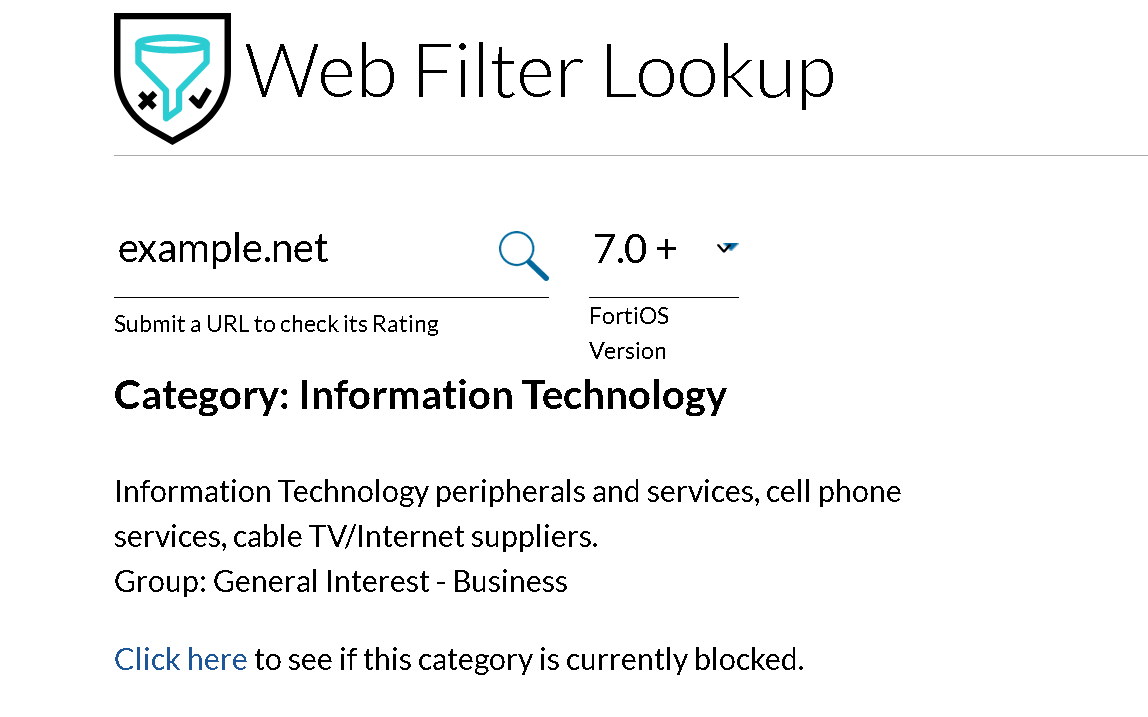
-
To check the category of the website on the FortiGate, we can look up its cache. You can use the command below to validate the results.
dia webfilter fortiguard cache dump
34000000|34000000 27.20425     1    0 00000001 P Dhttps://example.net/
In the above example, the domain example.net is in the category (Hex) 34
When we convert Hexadecimal to Decimal, it will be 52 which is Information Technology.
To know the category ID on the FortiGate, use the below command:
get webfilter categories